
Welcome to your new workspace
One interface.
Everything you need.
Powered by AI


Same utility tools. New look.
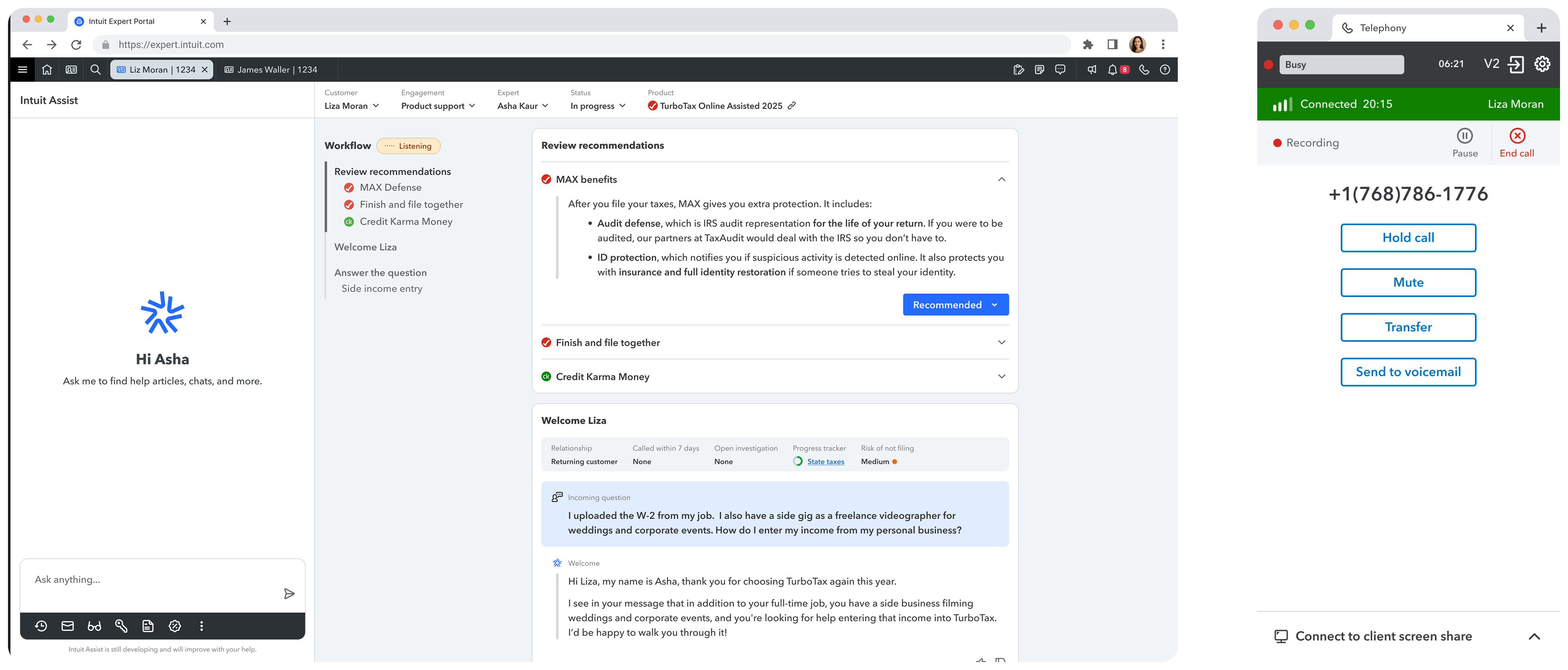
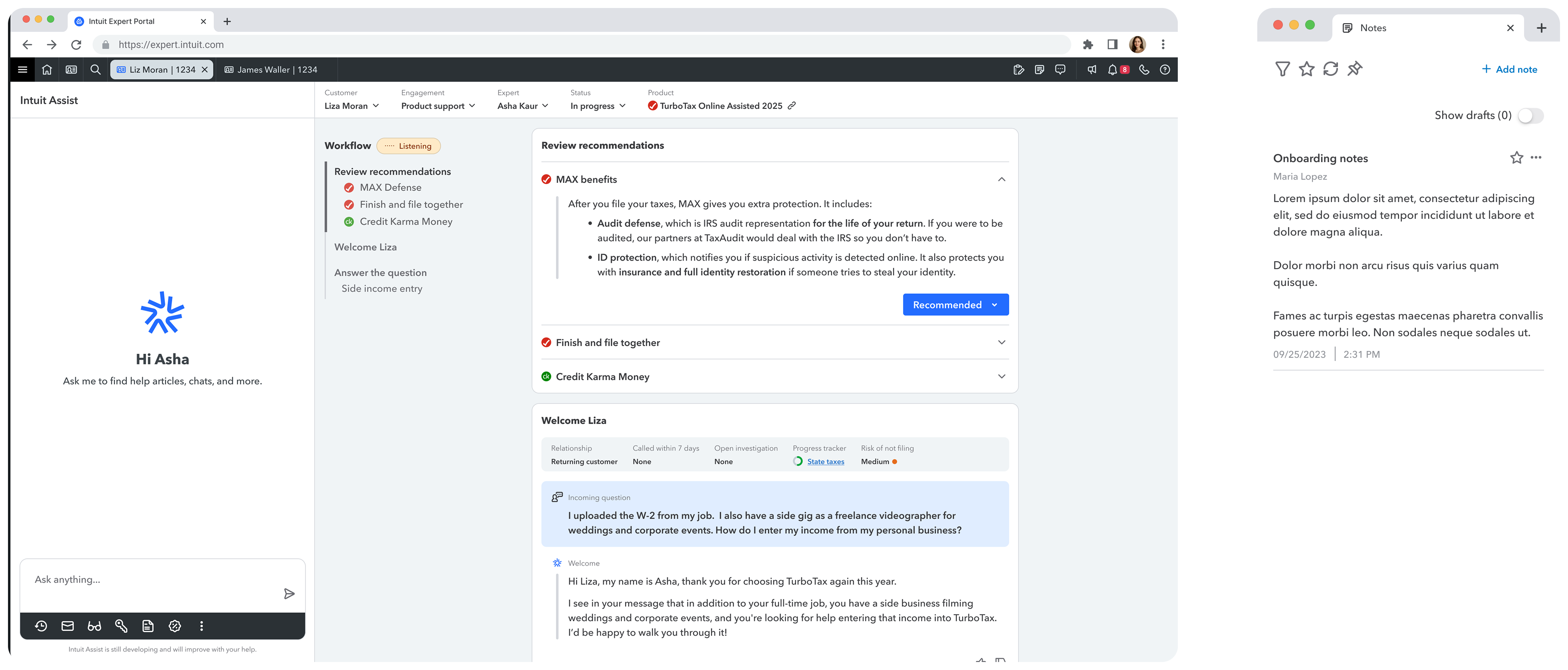
Some tools will open in separate windows, while others will stay right in IEP. We’ve removed the right panel to give you more room. Make sure to keep the Telephony panel open so you can stay connected!
Check out:
Telephony
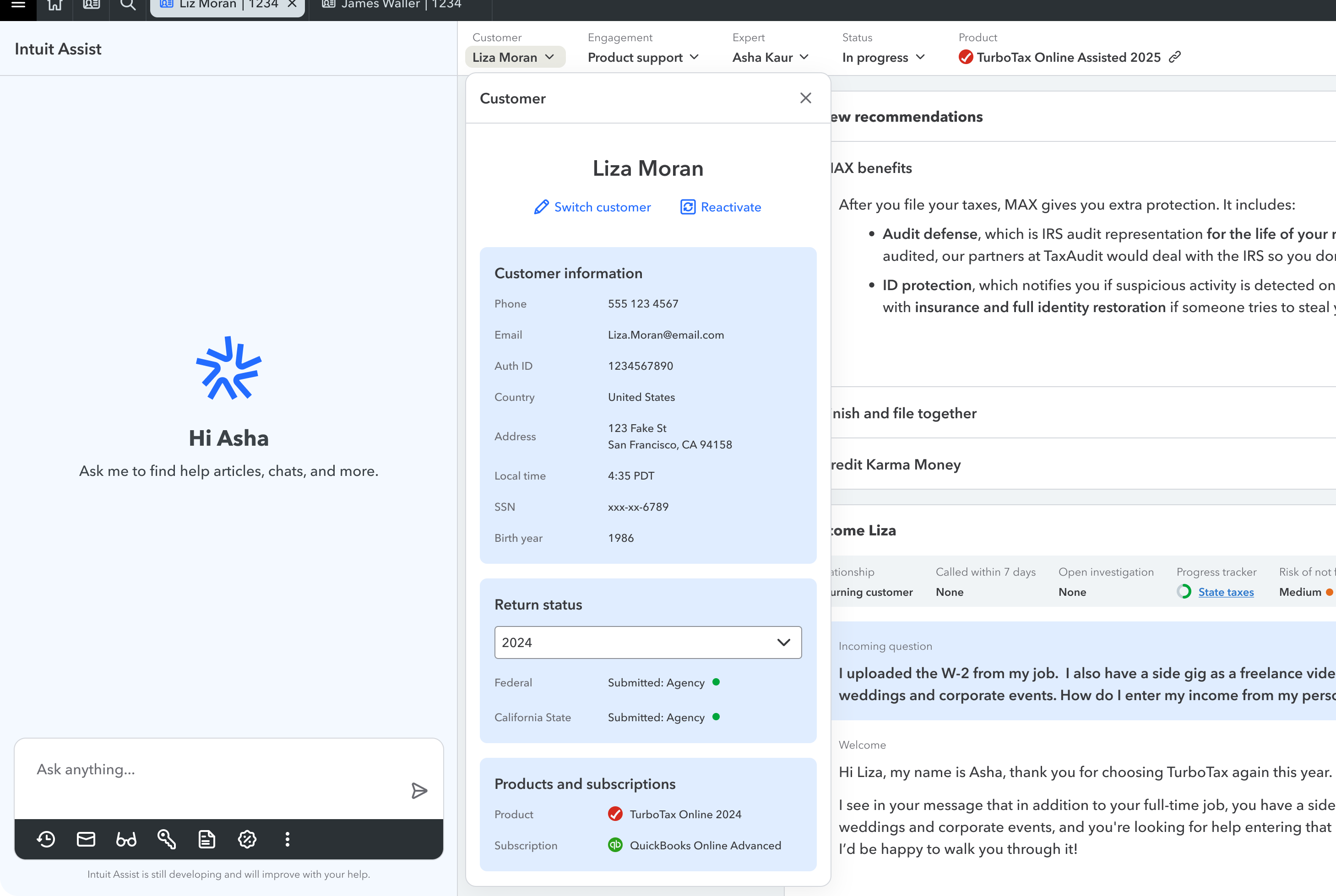
Client info, always present.
Access client info at any point in the conversation.
Ask Intuit Assist anything.
Same helpful features, new location. Look up help content. Ask for next level support.
Intuit Assist outside of engagement.
Discover the new entry point for Intuit Assist! Simply click the blue button to unlock all of Intuit Assist’s features.
All your tools in one place, always within reach.
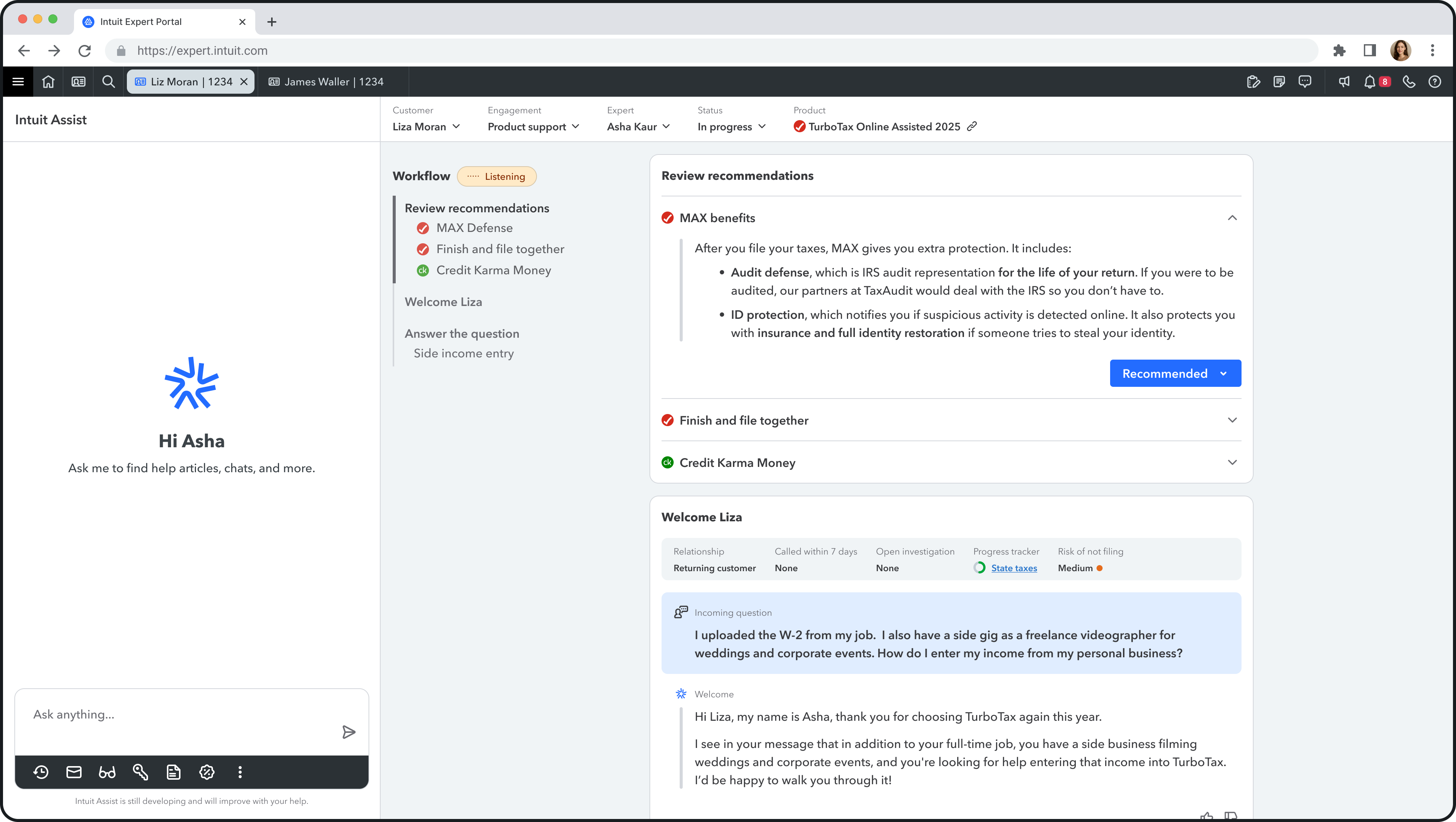
The new command center brings together all your tools, replacing the previous tabs. This lets you quickly access tools and find information in one place. You can return to the main guidance page at any time by clicking the back icon.
Start with what to recommend
Glance at personalized recommendations so you can bring them up naturally. Come back to capture the outcome.
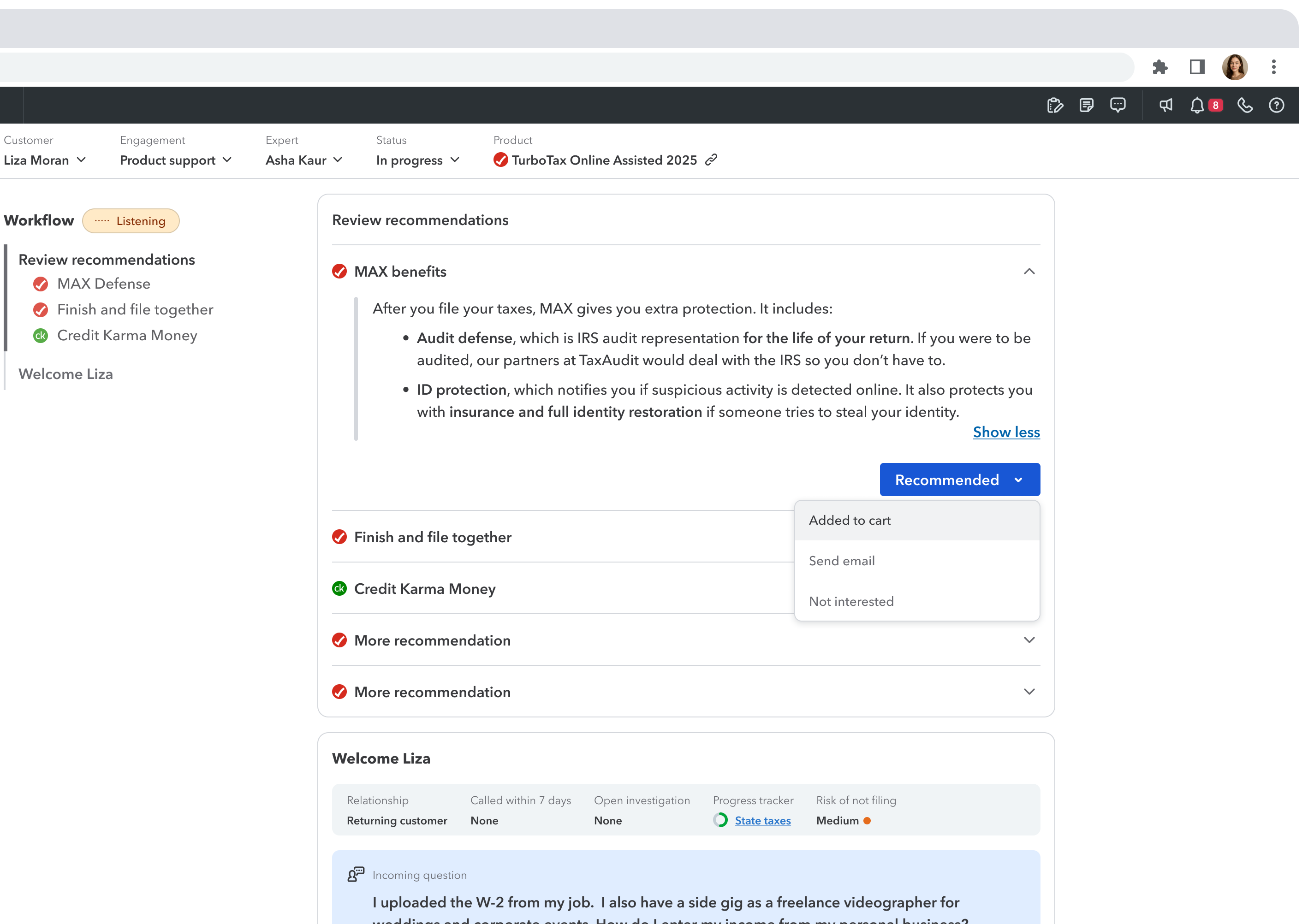
On contact guidance.
IA listens to your call and provides real-time guidance with relevant information and talking points. As the conversation progresses, new guidance appears in the main workflow. You can scroll back or click on the workflow to revisit previous guidance. Rate any guidance with a thumbs up or down to help us improve our system!
View new guidance while on other pages.
While navigating away to other pages, follow this notification to view the latest guidance in the main stage.

Thank you for being a part of our continued evolution.

Welcome to your new workspace
One interface. Everything you need.
Powered by AI

Same utility tools. New look.
Some tools will open in separate windows, while others will stay right in IEP. We’ve removed the right panel to give you more room. Make sure to keep the Telephony panel open so you can stay connected!
Telephony
Client info, always present.
Access client info at any point in the conversation.
Ask Intuit Assist anything.
Same helpful features, new location. Look up help content. Ask for next level support.
Intuit Assist outside of engagement.
Discover the new entry point for Intuit Assist! Simply click the blue button to unlock all of Intuit Assist’s features.
All your tools in one place, always within reach.
The new command center brings together all your tools, replacing the previous tabs. This lets you quickly access tools and find information in one place. You can return to the main guidance page at any time by clicking the back icon.
Start with what to recommend.
Glance at personalized recommendations so you can bring them up naturally. Come back to capture the outcome.
On contact guidance.
IA listens to your call and provides real-time guidance with relevant information and talking points. As the conversation progresses, new guidance appears in the main workflow. You can scroll back or click on the workflow to revisit previous guidance. Rate any guidance with a thumbs up or down to help us improve our system!
View new guidance while on other pages.
While navigating away to other pages, follow this notification to view the latest guidance in the main stage.
Thank you for being a part of our continued evolution.

Welcome to your new workspace
One interface. Everything you need.
Powered by AI

Utility tools
View new guidance
Same utility tools. New look.
Some tools will open in separate windows, while others will stay right in IEP. We’ve removed the right panel to give you more room. Make sure to keep the Telephony panel open so you can stay connected!
Telephony
Thank you for being a part of our continued evolution.

Welcome to your new workspace
One interface. Everything you need. Powered by AI

Utility tools
Client info
Ask Intuit Assist
Outside engagements
Command center
Recommendations
On contact guidance
View new guidance
Same utility tools. New look.
Some tools will open in separate windows, while others will stay right in IEP. We’ve removed the right panel to give you more room. Make sure to keep the Telephony panel open so you can stay connected!
Telephony
Help
Tasks
Notes
Notifications
Daily updates



Telephony


Busy

06:21
V2


Connected 20:15
Liza Moran

Recording
Pause


End call

+1(768)786-1776
Hold call
Mute
Transfer
Send to voicemail

Connect to client screen share

Thank you for being a part of our continued evolution.